
In a rush? Schedule an Appointment
    Fetching local time...
    Anytime Capital
    Retail crypto program
    How it works at the counter
    The counter flow

    One login. Two minutes. One order.

    The entire service is a single screen. This page walks through it exactly as a cashier sees it, from signing in at the start of a shift to handing the customer their receipt — so you can judge for yourself whether your staff can run it.

    Talk to our retail teamStore sign in
    • Runs in a browser on any device
    • Per-employee logins
    • Verification from the customer's own phone
    • Live pricing shown before the customer commits
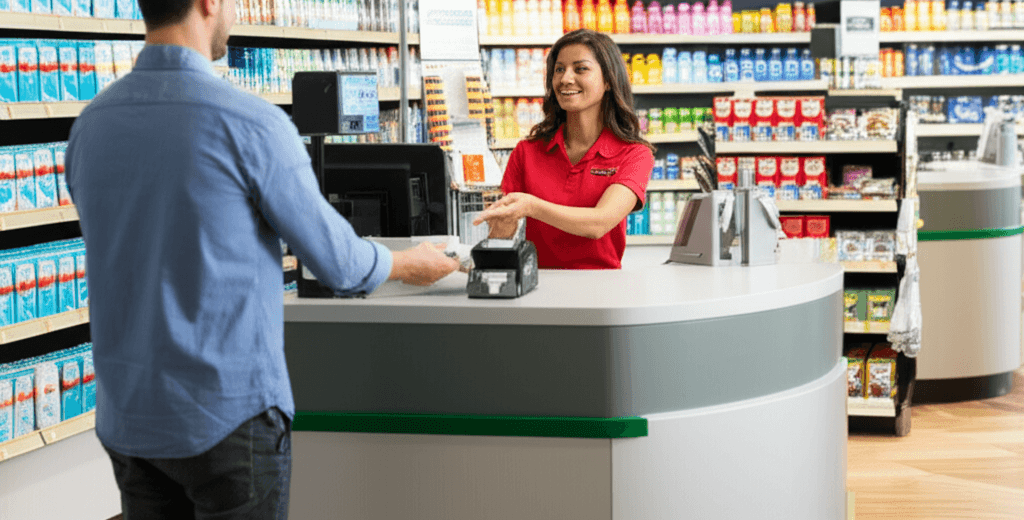
    A clerk serving a customer at a store cash counter

    $500.00

    Bitcoin · paid in cash at the counter

    • CustomerVerified · 71 sec
    • Buying0.00421 BTC

    The whole workflow in one paragraph

    An employee opens retail.anytime-capital.com and signs in with their own credentials. A customer asks to buy crypto. If it is their first visit, the employee starts an onboarding — the customer photographs their ID and takes a selfie, from their own phone or the store's tablet, and it clears in about a minute. The employee then selects the asset, types the dollar amount, and shows the customer the live quote. The customer hands over the payment. The employee marks it collected. Anytime Capital delivers the crypto to the customer's wallet address and the store's revenue share is recorded against the order.

    That is the product. There is no second system, no settlement file to import, no device to reconcile and no crypto for the store to source, hold, price or send. The complexity is real, but it lives on Anytime Capital's side of the counter rather than yours.

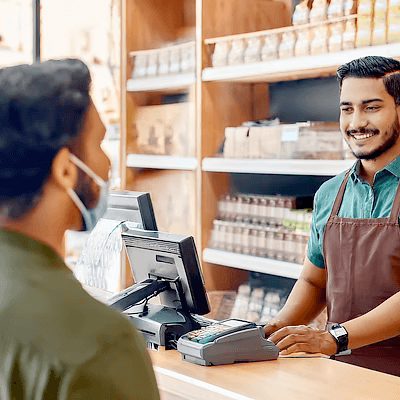
    A shopkeeper serving a customer across the counter of a small store

    Step by step

    What the cashier actually does

    1. 1

      1 · Sign in

      Each employee has their own login, so every order is attributable and the owner can see who served what. Sign in once at the start of a shift.

    2. 2

      2 · Verify the customer

      New customers photograph an ID and take a selfie with a liveness check. It runs from the customer's phone while they wait, or on the store's tablet. One to two minutes, once, ever.

    3. 3

      3 · Place the order

      Choose the asset, enter the dollar amount, show the customer the live quote and the destination wallet. Confirm.

    4. 4

      4 · Collect and close

      Take the payment at the counter and mark it collected. The crypto is delivered to the customer and the store's revenue share is credited to the order.

    Your brand

    Your logo on the screen. Not ours.

    Rolling out

    Your sign-in page will carry your store's logo and your store's colours. Your customer sees the shop they already know, not a company they have never heard of.

    That is the difference between this and a branded machine in your corner. The machine sells someone else's name in your shop. This sells yours.

    Pick a colour to see it. This is a mockup — send us your logo during onboarding.

    YOUR LOGONew order

    $500.00

    Bitcoin · paid in cash

    • CustomerVerified
    • Buying0.00421 BTC
    • PaidCash
    • Your cutCredited
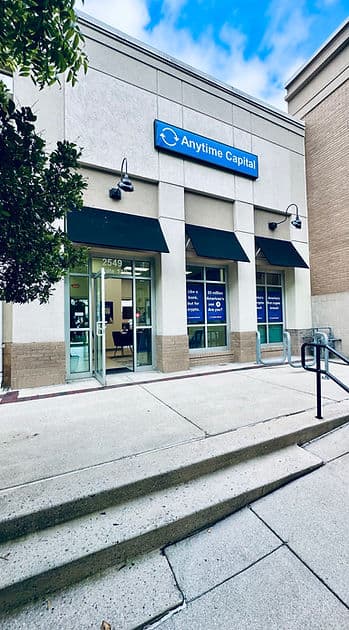
    The Anytime Capital branch storefront in Atlanta
    A real branch, not a kiosk
    A clerk serving a customer at a store cash counter
    Served at the counter
    The seating area and service counter inside an Anytime Capital branch
    Staffed, in person

    Anytime Capital runs its own branches in Atlanta and Miami. Partner stores run the same counter service.

    What your staff need to know about crypto (almost nothing)

    The training that matters is procedural, not technical. A cashier needs to know how to start a verification, how to read a quote back to a customer, how to take the payment and what to do if a customer's ID will not scan. None of that requires an opinion about Bitcoin.

    The two questions staff do get asked are worth rehearsing: "what is the price" and "when will it arrive". The screen answers both, out loud, before the customer commits — the quote is on the display and the delivery is typically minutes rather than days.

    The thing staff should never do is give investment advice. That is in the training, and it is the same rule your counter already follows for every other regulated product it sells.

    Devices, connectivity and what happens when the internet drops

    The platform is a website. It runs on the PC behind your counter, on a cheap tablet on the counter, or on a staff phone — whatever the store already has. There is no application to install, no receipt printer to drive and no card reader to pair.

    Because it is browser-based, a store with a flaky connection can fall back to a phone on cellular data without any change to the process. This is one of the practical advantages over a kiosk: a machine that loses connectivity is a dead box in your corner, while a browser session moves to whatever device is working.

    Verification runs from the customer's own phone by default, which means the store's device is not tied up holding a camera steady while a queue builds behind it.

    Read the detail(1 section)+

    Handling the queue on a busy Friday

    The practical bottleneck is never the order — that part takes seconds. It is the first-visit verification, and the way experienced stores handle it is to start it early: a customer who says they want to buy gets the verification link while they are still waiting to be served, so by the time they reach the window the only thing left is the amount.

    Returning customers do not repeat any of it. In a store with regulars, the steady state after a few weeks is that most crypto orders take less time than cashing a check.

    If a verification does not clear, the answer at the counter is always the same: the employee does not have to adjudicate it and should not try to. Support handles the exception so the queue keeps moving.

    Elsewhere in the programme

    Other pages store owners read next

    The same programme, answered for a different question, store format or market.

    What a store earns

    The arithmetic, worked through at five order sizes.

    Instead of a Bitcoin ATM

    Everything a kiosk does, without the kiosk.

    For money transfer agents

    The same decision you made about Western Union.

    Frequently Asked Questions

    What device does my store need?

    Any device with a browser. The PC behind your counter, a tablet, or a staff phone all work. There is nothing to install and no hardware to buy.

    Does every employee get their own login?

    Yes, and they should. Per-employee logins are how orders stay attributable to the person who took them, and how a store owner sees who served what during a shift.

    How long does customer verification take?

    One to two minutes for a first-time customer, and it only happens once. Returning customers go straight to the order screen.

    Does the customer need their own crypto wallet?

    The crypto is delivered to a wallet address for the customer. Customers who do not already have one can be set up with a free non-custodial Anytime Capital wallet, which takes moments and means they hold their own keys.

    What if the customer's ID will not scan?

    Your employee does not have to resolve it. The exception goes to Anytime Capital's support team so your cashier can serve the next person in line.

    How does the store get paid its share?

    The revenue share is recorded against each order and settled to the store on the schedule set in your agent agreement. It is visible in the store's reporting rather than something you have to calculate yourself.

    Can I see what my staff did today?

    Yes. Orders are attributable to the employee login that placed them, and the store owner sees the day's activity per location and per employee.

    If your staff can process a wire, they can process this

    Walk through the live screen with our retail team and decide for yourself how much training your counter actually needs.

    Talk to our retail teamWhat the store earns
    Anytime Capital

    Branches

    • Atlanta, Georgia
    • Miami, Florida

    Business

    • Business Checking
    • Business Debit Cards
    • Payments
    • Invoicing
    • Bill Pay
    • Expense Management
    • Sell Crypto in Your Store
    • Crypto for Check Cashers

    Solutions

    • CPAs & Accountants
    • Financial Advisors
    • Boat & Auto Dealerships
    • Dental & Medical Practices
    • Creators & Coaches
    • All solutions

    Crypto

    • Crypto Wallets
    • Tether Wallet
    • Buy Digital Assets
    • Buy with Your Bank Card
    • Blockchain Networks
    • Markets
    • Security & Licenses

    Company

    • Our Story
    • Schedule Appointment
    • Careers
    • Media & Press
    • Investor Relations
    • FAQ

    Legal

    • Terms & Conditions
    • Privacy Policy
    • Fraud Notice

    © 2026 Anytime Capital is a financial technology company, not a bank. Banking services provided by Pathward N.A. Member FDIC. The Anytime Capital Mastercard® Prepaid Card is issued by Pathward®, National Association. Mastercard® is a registered trademark. All other trademarks and service marks belong to their respective owners.

    This site is protected by reCAPTCHA and the Google Privacy Policy and Terms of Service apply.

    App StoreMastercard